
Dark mode vs light mode: which is easier on your eyes?
Neither mode is universally better. What decides comfort is whether screen brightness matches the room: light mode in a bright room, dark mode in a dim one. Light mode gives sharper text for most people, and anyone with astigmatism often finds dark mode worse because light text on dark backgrounds smears.
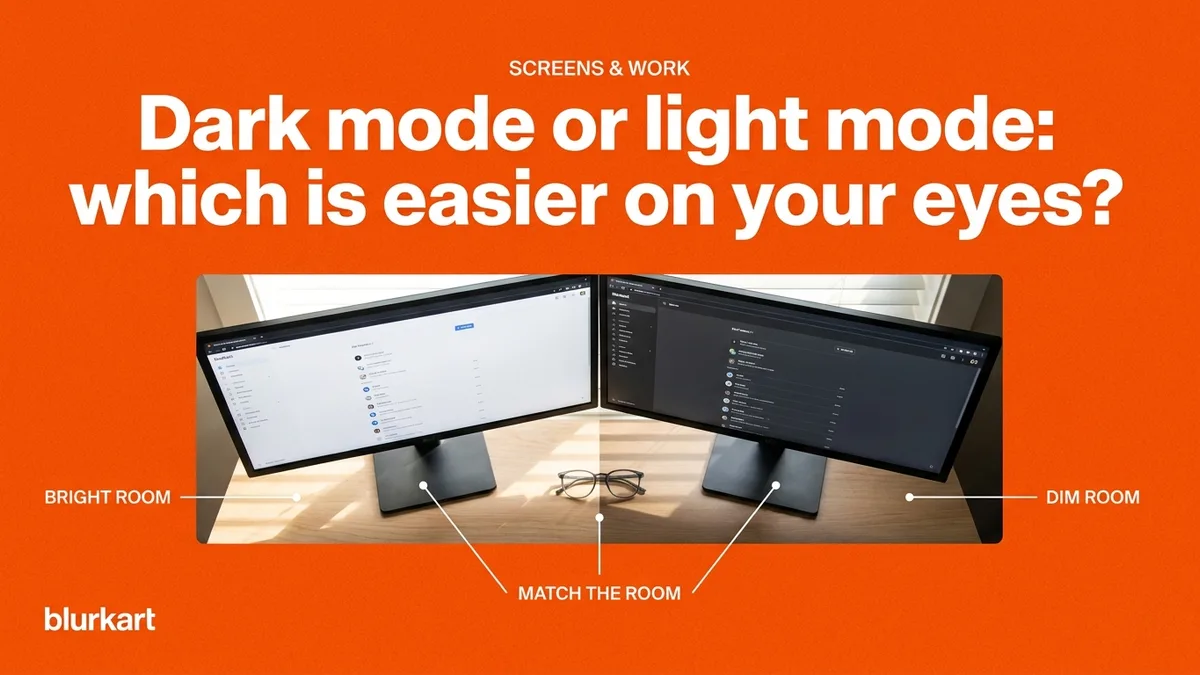
Dark mode vs light mode gets argued as if one is medically better. It is not that simple, and the single biggest factor in screen comfort is neither of them.
Dark mode vs light mode: what actually decides comfort
Your eye is not reacting to the theme. It is reacting to the difference between your screen and everything around it.
A bright screen in a dark room forces your pupil to keep adjusting between the glowing rectangle and the dim surroundings. A dim screen in a bright room makes you strain to read against ambient light bouncing off the panel. Both are tiring, and both happen in either mode.
So the useful rule is match the screen to the room. In a bright room during the day, light mode at a reasonable brightness sits closer to your surroundings. In a dim room at night, dark mode does. Most phones and laptops will do this automatically if you let them.
Where light mode wins
Text sharpness, for most people. Dark text on a light background makes your pupil constrict, and a smaller pupil gives you greater depth of focus and less blur from the edges of your own lens. That is the same reason squinting sharpens things up.
Reading long documents in daylight. Light mode is also what almost all print and web content is designed for, so line weights and spacing were tuned for it.
Where dark mode wins
Night use, genuinely. Less total light leaving the screen is easier on eyes that have adapted to a dim room, and it is less disruptive if you are working close to bedtime.
OLED screens, where dark pixels are actually switched off, so dark mode also saves battery.
Code and terminals, where syntax colours often have better contrast against dark, and where the eye is scanning structure rather than reading prose.
Who should avoid dark mode
This is the part rarely mentioned. If you have astigmatism, dark mode frequently reads worse.
Light text on a dark background makes your pupil dilate. A wider pupil uses more of the periphery of your eye's lens, which is exactly where astigmatic blur is strongest. The result is that white text appears to glow, bleed or smear at the edges, a effect often called halation.
If dark mode has always looked slightly fuzzy to you while everyone insists it is easier, that is a reasonable prompt to get your eyes checked. Astigmatism explained covers what it is, and the eye test is free at both showrooms.
What actually causes screen fatigue
Neither mode addresses the real causes, which are worth more than any theme setting.
Blinking. You blink around 15 times a minute normally and roughly a third of that at a screen, so the tear film dries out. That is the stinging people describe. No mode fixes it; blinking and a lubricating drop do.
One fixed focus distance for hours, which is what leaves your focusing muscle tired. The twenty twenty twenty habit addresses that: every twenty minutes, look at something about six metres away for twenty seconds.
Screen position. Top of the screen at or just below eye level, roughly arm's length away, window to the side rather than behind or in front.
Setting up a desk properly covers all of that, and computer vision syndrome covers the symptoms.
What to actually change
Turn brightness down until the screen matches the wall behind it rather than glowing against it. Turn auto-brightness on. Use light mode in daylight and dark mode at night. Increase text size rather than leaning in.
If your eyes still ache after that, it is a focusing problem rather than a display problem, and worth a test. Whether you need computer glasses covers when a second pair helps, and screen glasses start at NPR 999 for the frame.
Text size beats both
The change most people never make is the one with the biggest return. Increase the font size until you can read comfortably while sitting back properly, rather than leaning towards the screen.
Leaning in is what shortens your working distance, and a shorter distance means more focusing effort held for longer. It also puts your neck and shoulders into a position they will complain about by evening, which is then blamed on the chair.
Zoom the browser to 110 or 125 percent, raise the editor font, and sit back. It costs nothing and removes the underlying cause rather than treating the symptom.
Frequently asked
- Does dark mode reduce blue light?
- Slightly, because fewer bright pixels are lit. The effect is small and blue light is not the main cause of screen discomfort anyway. Brightness mismatch and reduced blinking matter far more.
- Why does dark mode look blurry to me?
- Probably astigmatism. Light text on a dark background makes your pupil open wider, which exposes more of the lens periphery where astigmatic blur is worst. The text appears to glow or smear. Light mode usually fixes it.
- Dark mode aankha ko lagi ramro ho ki hoina?
- Kotha ko ujyalo anusar farak parchha. Ujyalo kotha ma light mode, andharo kotha ma dark mode ramro. Astigmatism chha bhane dark mode ma akshar dhamilo dekhinchha, tyahaan light mode nai thik.